Sunday, January 6, 2019

The Trials and Tribulations of Snowflake Photography

I have been using macro photography for years, mainly for wildflower photographs and some studio work.  I use a 105mm f/2.8 Nikkor lens -- it is remarkably sharp, and can produce macro shots at 1:1.  Seeing minute details on a flower petal or stem is quite thrilling.


Bloodroot flower using Nikkor 105mm f/2.8

After seeing great macro work from Don Komarechka and others, I wanted to learn more and push my macro work to another level.  I wanted to see if I could photograph a snowflake without spending a mint for special equipment.  Don has a lot of good information on his website (and newsletter, podcast, twitter, youtube).

To get even greater magnification, I bought an inexpensive Fotodiox 52mm reversing ring (about $20 CAD)  to use with an old 50mm lens that I acquired many years ago.  This allows me to mount the lens backwards on the camera, which turns it into a macro lens.   I added some extension tubes that I had also acquired many years ago to give me 2:1 magnification.

This lens arrangement allowed me to photograph some of the dragonflies and creepy crawly creatures at the cottage.  The lens has to be quite close to the subject to get this kind of magnification, which presents problems getting close enough to nervous creatures, and to get enough light on the subject.  I added a flash to my camera with a hand-made modifier to reflect the flash 90 degrees down in front of the lens, and this worked well.  I was able to capture excellent detail - you can see the individual elements of the dragonfly's compound eye in this image!

Dragon Fly using reversed 50mm lens with extension tubes, with natural light.
 
I knew this lens combination was not enough magnification for snowflake photos, so I looked for ways to get better magnification.  After much deliberation, I bought a small but powerful macro lens, the Mitakon Zhongyi 20mm macro lens.  This lens offers 4-4.5x magnification (4.5:1), and it cost only about $150 USD.  The reviews that I read warned that the focusing distance was very short so that lighting would be a problem.

The reviews were correct on both counts.  This lens focuses at about 1cm from the subject, which alone makes it difficult to use.  However, I tried my first snowflake using this lens.

To photograph a snowflake, first you have to catch one intact.  I used a black polar fleece glove, and with enough patience and the right kind of snowfall (large flakes, little wind, not too cold so to avoid frostbite on my hands), it can be done.  Despite wearing gloves, my hands took a beating.  They were quite painful as they warmed up afterwards.

After selecting a flake on the glove, I held it up to the lens until I got the snowflake in focus.  I found I had to brace my left hand (holding the snowflake glove) against a wall, and move the camera (mounted on my tripod) slowly towards the snowflake.  The light was very low not only because it was cloudy, but also due the subject being in the shadow of myself and the camera only a centimetre away.  I had to increase my ISO rating to 6400 or higher (Hi 0.3, Hi 0.7 and Hi 1.0 on the Nikon D800) to obtain a shutter speed high enough to take a sharp image.  Finally, since the depth-of-field is incredibly narrow, I took many photographs of the snowflake for a focus stack.  Eventually I selected about 15 images and stacked them in Photoshop:

Snowflake using the Mitakon Zhongyi 20mm f/2 macro lens

I was quite pleased with the result although it isn't perfect, and I have some improvements to make in my technique, including post-processing technique.  Getting sharp images ranging from one end of the snowflake to the other is important, and you should be prepared to take 50+ photographs to get every part of the snowflake sharp.

Lighting is a problem since the lens and snowflake have to be so close together.  Using ISO 6400 or higher adds a lot of noise to the photograph, which is difficult to manage in the evenutal image.  I would much prefer to use ISO 400 or less.

Also, I found that the snowflake can sometimes shift on the glove, move with a bit of wind, or my hand holding the snowflake glove can shift a bit.  It's frustrating, but you may have to redo the whole image stack if something like this happens.  Steady hands and freezing fingers are a bad combination!

However, there is a lot of potential here, and I have spent less than $200 in total for new equipment.

More on this topic to come.


. . . Rob Williams
      http://www.robertwilliamsphotography.ca

Sunday, June 4, 2017

Unique colours of spring


One of the things I love about spring is that the forest show all sorts of colours that you don't see at other times of the year. The new leaves on trees have a different colour than mature leaves, sometimes lighter, or with other colours mixed in. There are also spring wildflowers and tree flowers that add to the spectrum.

Urban forest

New Maple Leaves

Oak Leaves

Maple Leaves

Maple Leaves

Crab Apple Flowers

Hepaticas


. . . Rob Williams http://www.robertwilliamsphotography.ca

Saturday, May 21, 2016

Beechwood Cemetary

Recently I attended the memorial service for my sister Donna held in Beechwood Cemetery in Ottawa's east end.  It's a beautiful location with lots of large trees, many of which were in flower.  A few days later, I returned to the cemetery (I forgot my coat...), and I took along my infrared-converted camera (a Nikon D40x).  Here are my favourite photographs from that day:

A large family plot (the Slater family -- James Slater immigrated to Canada in 1830 and later became the Superintendent of the Rideau Canal).

Various headstones near the Slater's

Two crosses.

An angel.


. . . Rob Williams
      http://www.robertwilliamsphotography.ca

Monday, December 21, 2015

A Study in Brown

November is usually a gray month, with the fall leaves gone, and the forests covered in brown.  My motivation for photography usually drops with the leaves.  As November stretched into December with no noticeable snow, brown has continued to be the dominant colour of the forests and meadows.

Here are a couple of photographs taken this weekend, on the theme of "brown".

A Wall of Reeds

Fallen Grass with SNOW!

Field grass

Burst Milkweed Pods


. . . Rob Williams
      http://www.robertwilliamsphotography.ca

Monday, September 21, 2015

Puffins and FastRawViewer

In 2009, I went on an amazing trip from Grand Manan Island to Machias Seal Island in the Bay of Fundy to photograph Atlantic Puffins.  I was prepared to take a lot of photos and I filled up my CF card with 370 photographs (you can get much larger storage cards these days, but that's what I could do in 2009!).

When I got back home, sorting through that many digital images was a huge task, especially considering that it represented just one day out of our stay on Grand Manan.  I had over 2400 photographs from that trip.  Opening up the RAW images took a lot of time, and I wished I had a quicker way to check the focus and composition of each image as I sorted the good from the bad and ugly.


Puffin portrait

Truth be told, I ended up cherry-picking a couple of puffin photos, and I never really went through the whole set to see what was there.

A couple of weeks ago, I came across a review of FastRawViewer on Photography Life's website.  It sounded like a good solution to sorting through raw files, so I downloaded a trial version.

Like it's name says, FastRawViewer is really fast.  On my system, it takes about two seconds to load a 41 megabyte RAW image from my D800.  It's not just a preview, but the whole image.  With one keypress (shift-left-click), I can see the image instantly at 100% zoom, to check for critical focus.  In Lightroom, the same process takes 6-7 seconds after loading the image.  That is a huge difference when you have to check hundreds of images.

Two puffins on Machias Seal Island

The interface isn't fancy, but isnt' bad when you learn a few shortcut keys.  You can easily check for over or under exposure, or boost the shadows to check for shadow detail. A single keystroke will also pass the image directly to Lightroom or Photoshop, or any other image processor you want, as well as other features.

I used FastRawViewer to look through my Machias Seal Island photos, and I was surprised to find a number of good photographs.  I've included a few here.


Razorbill Auks

At $US 20.00, it's an inexpensive tool that solves a real problem that I've been having for a long time.

Arctic Tern on Machias Seal Island


. . . Rob Williams http://www.robertwilliamsphotography.ca

Sunday, April 5, 2015

Photographs from Port Union, Newfoundland

Port Union is a unique town in Newfoundland, Located near Trinity on the Bonavista Peninsula, this town was founded by William Coaker in 1917 and was the base for the Fishermen's Protective Union. The FPU was a union of fisherman, set up to break a system run by fish merchants that kept fishermen and their families in perpetual poverty, somewhat similar to peasants in a feudal system.

One interesting aspect of Port Union is that the union provided row housing for workers giving them decent accommodations.  Houses for higher-ups were on the main street, and are in good condition today.  Houses for workers were set up-hill and back from the main street and unfortunately have not been maintained.

Here's a good link describing the houses:
https://www.heritagecanada.org/en/issues-campaigns/top-ten-endangered/explore-past-listings/newfoundland-and-labrador/fishermans-row-h

Here are a few photographs of the worker's row houses taken in the summer of 2014.


. . .


Rob Williams http://www.robertwilliamsphotography.ca

Thursday, October 30, 2014

Flowers at the War Memorial in Ottawa, Canada

At the Canadian National War Memorial in Ottawa, there has been a steady stream of people placing flowers in memory of Cpl. Nathan Cirillo and Warrant Officer Patrice Vincent, two soldiers who were killed last week simply for wearing a uniform.


The National War Memorial with the Chateau Laurier in the background.


. . . Rob Williams http://www.robertwilliamsphotography.ca

Tuesday, October 21, 2014

500px Prime and me

500px is a photo sharing site that has become quite popular with photographers throughout the world. The quality of photographs on the site is quite amazing -- take a look at the Editor's Choice page or the Popular images page, and see for yourself.

As a photographer, one of the nice features is that you can offer your photographs for licensing, with a great return from licensing revenue.  Seventy percent of the license revenue goes to the photographer.  Prices are standardized so there's no guess-work with pricing.

I have been offering a number of my photographs on 500px for a while now (https://prime.500px.com/rob017), and I have been quite fortunate to have made a few sales.  The team there was great to work with -- they even posted an entry on their blog about my photographs.

They have a promotion running currently that gives buyers a 20% price reduction on licensing fees, and also gives a bonus to photographers.  My promo code is rob017.  It can be used at prime.500px.com to save 20% on licensing fees for my photographs, or any other photograph on the site.  The offer is good until November 30th.

Use promo code rob017 to save 20% off premium stock photography at prime.500px.com


. . . Rob Williams
      http://www.robertwilliamsphotography.ca

Sunday, August 10, 2014

Keels, Newfoundland

One of the things I love about visiting Newfoundland is the sense of discovery when we visit one of the many outports.  Each outport is unique, and you never know what the particular bay or cove will be like before you get there.

An outport called Keels was one of the best surprises that we had in our visit this year.  Keels is a small outport about 20km south-west of Bonavista, about 30 kms by a twisty, uneven road that deteriorates the further you get from Bonavista.   The land is stark and rocky, but that is what makes the area so striking.

Here are a couple of photographs of Keels.
Keels

Storage Building near the Wharf


Looking across the cove

Houses on the Rocks of Keels


. . . Rob Williams
      http://www.robertwilliamsphotography.ca

Sunday, February 9, 2014

Choosing a Website Platform: Joomla!, SmugMug and Zenfolio

I've operated a photography website for a many years now, and it has evolved over time from simple html to it's current form as a "responsive" website designed to display on a PC, tablet or smartphone.  Along the way, I've implemented my website in two versions of Joomla! and more recently, with SmugMug and Zenfolio.  I'd like to share some of my experiences.  This isn't a comprehensive review -- I'm just writing about some experiences that helped me decide how to manage a modern website (at least this year's version of "modern").

A number of years ago, I implemented my website using Joomla! 1.5.  It took a while to learn how to configure Joomla! to do what I wanted, but I found a good theme and I ended up with a good website.

Over the last few of years, my site was hacked twice, the latest being last summer.  After the first hack, I was able to recover fairly easily.  I removed the offending files and restore the site without too much difficulty.  On a couple of occasions, I also had to handle errors from the database (which I learned how to fix) which led me to learn how to do MySQL backups.  Occasionally I made backups of my site and even saved some of the backups on my home PC.

Houses in Trinity, Newfoundland

Last summer my site was hacked again while I was  on vacation.  A trojan horse was planted onto my website, and I had to quickly take the site down when I got back home.  I guess I should have bought some virus protection from my web host!

I didn't have a recent backup available, so I decided to modernize my site and move up to Joomla! 3.  I choose a "responsive" theme to handle smartphones, tablets and PCs, and I re-implemented most of my website.  Finally, I decided to buy a virus scanning service from my website host which increased my web hosting cost by 50%.  I wasn't too happy about having to invest a significant amount of time and money into this whole process.

It took a lot of time to get Joomla! 3 working especially with some installation glitches that were difficult to solve.  I also ran into some flaws in the photo management component (RokGallery) as well.  I liked the way RokGallery was set up, but it was difficult and slow to work with a large number of photographs.  Overall though, I was satisfied even though I thought the website was a bit slow.

Later in the year there were some updates available for Joomla!, and I installed the update using Joomla!s handy update system.  Unfortunately, the upgrade failed and left my site hobbled.  The only option that I could see was to re-install Joomla!.

By this time, I was quite frustrated with the whole process, and I decided that I no longer wanted the hassle of dealing with Joomla!, doing database and website backups, and paying for virus checking.   I started looking for a solution that let me create a photograph-centered website that provided all of those functions.

Holy Trinity Roman Catholic Church, Trinity Newfoundland

I looked at a variety of options, including Flickr, 500px, Pixpa, SmugMug and Zenfolio.  I was looking for a reasonable cost, built-in e-commerce, lots of storage space and flexibility in the design of the website.  I wanted a site that could adapt to different screen sizes, from smart phones to large PC screens and  I wanted to keep my domain name for the new site.

I quickly narrowed the choice down to SmugMug and Zenfolio.  I felt that Flickr and 500px didn't provide enough flexibility in the design of the website.  Their formats were okay, but I wanted to have my own design.  Pixpa seemed more expensive than the rest at $200 per year versus $150 for SmugMug and $120 for Zenfolio, so I didn't evaluate it.  If SmugMug and Zenfolio had not worked out, then I would have looked at Pixpa in more depth.

I started with Zenfolio.  I signed up for a trial and started to build a prototype website.  Over the course of a weekend, I was able to create a working website starting with a template provided by Zenfolio.  I set up a keyword-based slideshow on the front page, and a set of menus for articles and photograph gallery pages. I also set up e-commerce on the site without any difficulty.  I spent a few more evenings adjusting the design and loading enough photographs to find out how much work was involved.

I found Zenfolio quite easy to use, and I really liked their e-commerce system with multiple price lists and their built-in print service.  I was able to specify myself as a print service for the sizes of prints I create myself, and to use the built-in service for larger sizes.  Zenfolio was quite a bit faster than my Joomla! site so I was convinced that this would be a better choice.

I liked the look of the site, but I wanted to try a different page style that Zenfolio does not offer.  Zenfolio provides several layout options of basically the same page style -- a main photograph with small thumbnails on the side, top or bottom of the page.  I was hoping to use a "collage" layout with various photographs mixed on the page.

Maberly, Newfoundland

Next, I signed up for a trial with SmugMug.  It offers the collage style of page layout that I wanted, but is a bit higher in cost from Zenfolio.  I set up the same kind of website as I did in Zenfolio -- a front-page slideshow with various menus to see photograph galleries and articles.  The design system was definitely more complicated than Zenfolio, and it took me a while to understand how it worked.  There is a hierarchical set of layouts, starting with content that will appear on all pages, followed by gallery-specific content, and lastly, page-specific content.  Once I understood the system, it was quite easy to set up the pages the way that I wanted.

I uploaded a number of photographs which went well.  Both Zenfolio and SmugMug handled a large number of photographs quite well.

I also set up e-commerce on SmugMug withoug much difficulty.  There are lots of different print options -- the kind of paper, framing, gallery wrap, etc.  However, there is one big drawback to their e-commerce print service: I could not find a way to include myself as a print provider.  I would rather make my own prints for 12"x18" down to 6"x9".  The only way I could find to do this was to add a note on each gallery page saying that I make prints up to 12"x18".  I could not integrate this into the "Buy Now" system.

Both SmugMug and Zenfolio sites were fast, and could handle tablets and phones.  I occasionally had some trouble with viewing my Zenfolio site on my iPhone though.  However it was the performance on a tablet that made the difference between the two.  When I compared both sites on a Samsung Galaxy Note 10.1 (2014), there was a clear difference in image quality.  The SmugMug site was noticably sharper -- I suspect it is due to some sharpening done to the image.  You can control sharpening with SmugMug, and although I didn't apply any extra sharpening, photographs from SmugMug were sharper on my tablet.

Ultimately a photography website is all about images, and image quality on a tablet turned out to be the deciding factor.   Feel free to browse my current website, hosted through SmugMug at:

http://www.robertwilliamsphotography.ca

          . . . Rob Williams

Tuesday, December 31, 2013

Top 5 Favourite Landscape Photographs of 2013

Here are my favourite landscape photographs from 2013:

Late Winter Snow

Moon Rising over Trinity Bay, Newfoundland

Fi\shing Boats in Champney's West, Newfoundland

House in Champney's West, Newfoundland

Fall Leaves in Buck Lake, Ontario

. . . Rob Williams http://www.robertwilliamsphotography.ca

Top 5 Favourite Flower Photographs from 2013

'Tis the season for Top 5 and Top 10 lists!  Here are my top 5 favourite flower photographs from 2013, in no particular order:

Orchid from the Ottawa Orchid Show

Dutchman's Britches 
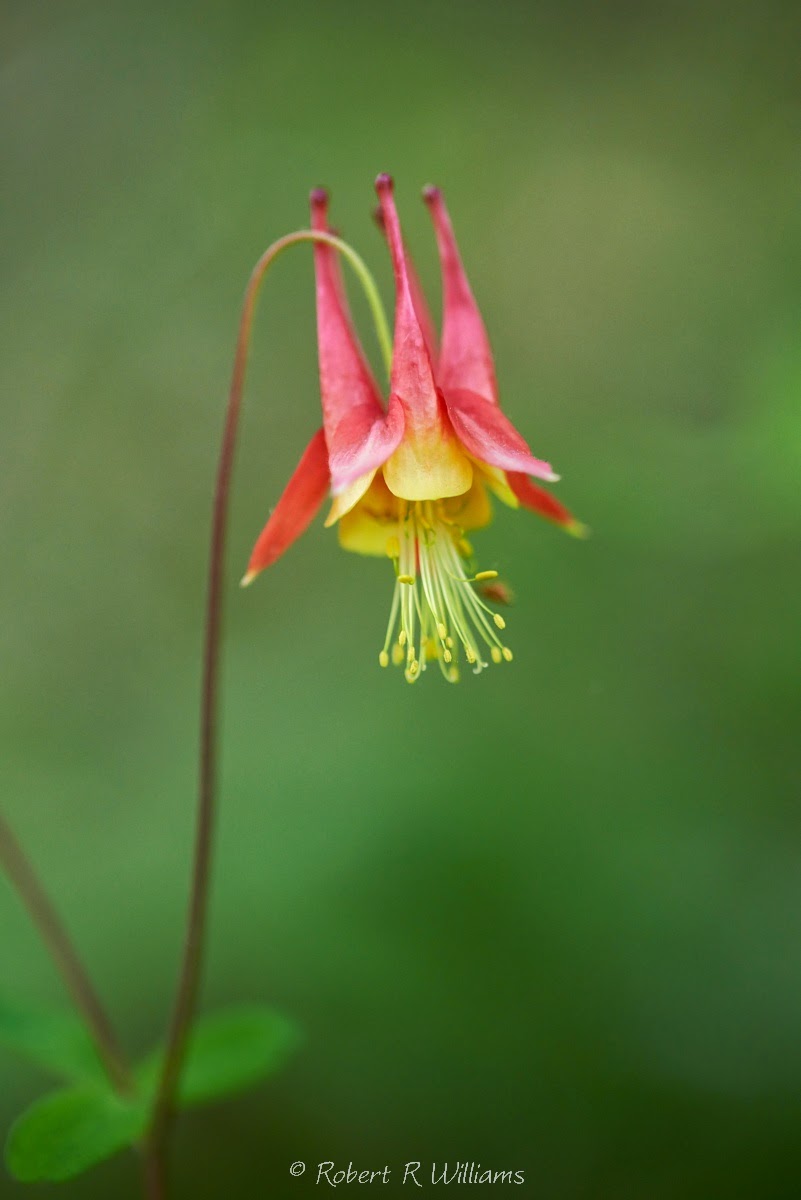
Wild Columbine 
Herb Robert 
Garden Geranium

Still Life Flower

Okay, so there are 6.  It's hard to choose!

. . . Rob Williams http://www.robertwilliamsphotography.ca